

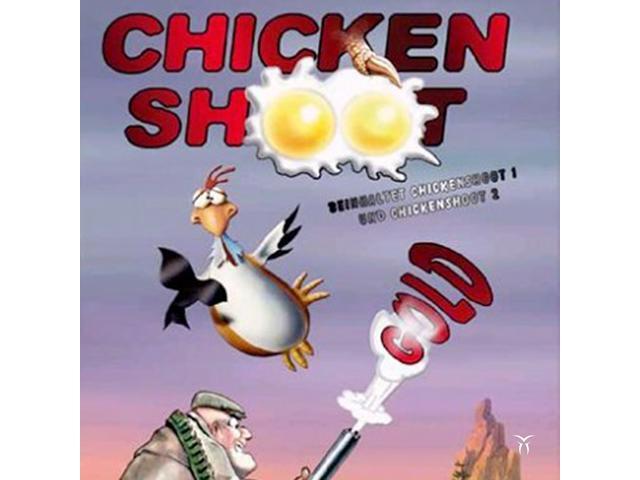
I spent some time with the new chickenshootgame redesign, and frankly, it’s a full transformation. If you’re in the UK and you recognize the wild joy of blasting troublesome chickens around the farm, this update will hook you. The team behind the game really listened. They removed the clunky menus and puzzling button layouts that used to catch you out mid-action. Now, the whole thing just makes sense. It’s fast, it’s straightforward, and it gets you into the fun without a fuss. My first load of the game showed a more defined, cleaner look that lets the lively chaos of the gameplay take centre stage. This is more than a new skin. They reworked how you manage every part of the game, which makes playing more seamless and a lot more immersive.
Understanding the Game: A Comprehensive Guide
Let me demonstrate you how easy it is to move from launching the game to your initial shot. The process is now a clear line. The old interface sometimes seemed like a treasure hunt for the right option, but this one is beautifully direct.
- Opening & Main Menu:
- Wager Configuration:
- Game Screen:
- Using Features:
Contrasting Old vs. New User Experience
Looking back at the old interface, the leap forward is significant. It used to feel bitty. I’d have to leave the main screen just to change a simple setting, which always disrupted my flow. Key info was sometimes in small print or a cluttered layout, so you could fail to see a multiplier or not be aware a bonus was about to start. The new version feels unified. It’s like one integrated playground where everything works together. I don’t have to think as hard about *how* to do things. I just do them. That sense of flow is what distinguishes a decent game from a top-tier one. The developers clearly prioritized the player’s entire journey, making sure every click feels right and every visual guide is helpful.
Guidance for Mastering the Fresh Layout
To really make the most of this polished system, I’ve discovered a couple of tricks. First, take a moment in the settings to modify the control overlay. You can often alter its transparency or move its position to match your screen and style just right. Second, utilize the quick mute buttons for sound and music on the pause menu. It’s the fastest way yet to manage your audio. Last, master the weapon hot-keys or the quick-select wheel. Because the interface works so fast, you can switch from your regular shotgun to a net or some dynamite in the middle of a chicken stampede. That speed can turn you from a casual shooter into the top scorer on the farm. The design is built for fast, smart play.
Improved Visuals and Adaptive Design
The visual upgrades aren’t just for show. They render playing better. The chicken models have more precision and their own cheeky character, so their weaves and drops look more real. The new responsive design ensures the layout works perfectly on my desktop at home or on my phone at the station. Buttons are just the right size for thumbs, so I’m not hitting the wrong one by accident. The whole game has more energy to it. When I choose a new weapon, like the pumpkin bomb, its icon on the HUD gives a little pulse and the cursor changes straight away. That instant reaction makes the world of Chicken Shoot feel tangible and directly under my management.
Player Feedback and Development Insights
This change wasn’t random. The developers compiled notes from players all over the UK and acted on them. Particular complaints, like the bet slider being too unstable or the rules page being a dense document, got addressed. The new slider has precise options for exact bets, and the rules now use graphics and short clips to explain things. You can see this user-focused thinking in every adjustment. It shows they want the game to develop with its community, not just stay unchanged. By treating Chicken Shoot as a ongoing platform that evolves from real use, they’ve built a improved layout and more trust with the players, who can identify their own suggestions in the game.
What’s New in the Chicken Shoot Interface?

Getting into the details, they revamped a lot. The biggest shift is the unified game lobby. Remember how you had to hop between screens for adjustments, your bet, and the rules? That is history. A sleek, slightly translucent control panel now lives right on the main screen. I can modify anything on the fly without pausing the game. They adjusted the colours for sharper contrast, so those cheeky chickens and bonus symbols are visible clearly against the barnyard scenery. All the text is holder and more straightforward to read, especially my score and cash balance. Menus appear and disappear faster, and even the little clicks and swooshes for moving through options sound clean and exact. This kind of polish tells me they get what makes a casual shooter function: it needs to be thrilling but never a pain to control.
Benefits for the United Kingdom Player
This overhaul touches on a number of elements UK players usually prioritize. We prefer games streamlined, equitable, and engaging, without a lot of bother. The speedier menus result in fewer moments used scrolling through interfaces and extra time savoring the title’s fun objective. It’s perfect for a quick go on the commute or within a break. Additionally, the sharper display of each of the numbers—your balance, your wager—makes it more straightforward to keep track, which fits right in with the UK’s focus on betting safely. The user-friendly arrangement is a boon for beginners. My pal, who’d not once played previously, was gathering birds and starting bonus rounds in a few ticks. I didn’t need to explain a thing. It renders the enjoyment available to everyone.
Upcoming Features and Fan Desires
With such a strong base now set, Chicken Shoot’s road ahead looks encouraging. This uncluttered layout means they can add more imaginative additions without everything becoming a mess. Speaking with other fans, the community is packed with ideas that would integrate seamlessly with this new structure. Plenty of people want seasonal events with a UK spin, like a special feature at a music festival or chasing chickens around a well-known landmark. The adaptable system could support that. Also, the refined code should mean faster loads and steadier performance for whatever they add next. This overhaul isn’t a final destination. It’s a springboard for the game’s future evolution, and I’m eager to see what they develop.